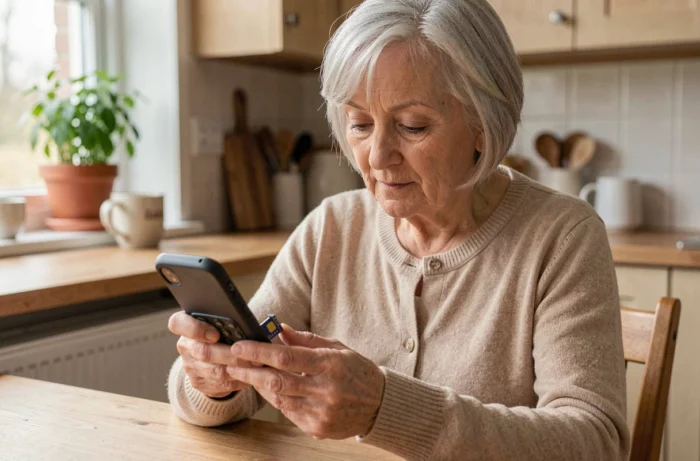
An elderly parent receives a Doro 6060 or a Doro 8050, we insert the SIM card from the kitchen drawer, and calls stop going through after a few weeks. The problem almost never comes from the phone itself, but from an incompatibility between the SIM card, the plan, and the network technology actually used by the device. Choosing the right SIM card for a senior Doro phone requires checking three specific points before the purchase, not after.
Doro SIM Card and the Shutdown of 2G: The Trap That No One Warns About at Purchase
Most online guides focus on the physical format of the card (nano-SIM or micro-SIM depending on the Doro model). This is a false issue. An adapter costing a few cents resolves the format question in thirty seconds.
The real criterion is compatibility with voice over 4G, called VoLTE. In France, the effective shutdown of 2G networks is scheduled for the end of 2026. If the Doro phone switches from 4G to 2G or 3G during a call, that call will be cut off once the network is turned off.
This behavior can be checked by making a call and observing the network indicator: if it shows “E” or “3G” instead of “4G” during the conversation, the phone-SIM duo is not ready.
To find out which Doro SIM card to choose, one must first exclude the old SIM cards that are purely 3G still circulating in many households. Even inserted into a Doro 8050 compatible with 4G, an old 3G SIM prevents the activation of VoLTE. The phone seems to work, but it relies on a network on borrowed time.

Senior Mobile Plan: Unlimited Calls or Data Allowance, How to Decide
It is often said that a senior only needs calls and SMS. This is true for some users of Doro feature phones (Doro 6060, Doro 6820). For smartphone models like the Doro 8050 or Doro 8100, the reasoning changes.
Unlimited Calls and Unlimited SMS as a Priority
An no-contract plan with unlimited calls and unlimited SMS remains the foundation. Seniors using a Doro make longer calls on average than usual, and a per-minute count creates unnecessary anxiety. Several operators offer this type of mobile plan for less than ten euros per month, with no commitment.
Data Allowance: Do Not Go Below a Minimum Threshold
Even on a feature phone, VoLTE consumes a marginal amount of data. On a Doro smartphone, security updates and the built-in emergency call app require a mobile connection. A plan with a few gigabytes of data is more than sufficient. So-called “voice-only” plans without any data pose a risk: without data, no VoLTE, so no calls after the 2G shutdown.
- Check that the plan explicitly includes the mention “4G calls” or “VoLTE” in its features, not just “4G network” for data
- Prefer a no-contract plan to be able to change operators if the 4G coverage at home is insufficient
- Avoid old prepaid plans that do not activate VoLTE by default, even on a recent SIM card
Check VoLTE Compatibility According to Doro Model and Operator
Not all Doro models handle VoLTE in the same way. Recent models like the Doro 8100 or Doro Leva E10 have it natively integrated. Older models (Doro 6520, Doro 5516) operate exclusively on 2G/3G and simply will not be able to make calls after the network is shut down, regardless of the inserted SIM card.
VoLTE compatibility also depends on the operator, not just the phone. A Doro 8050 may support VoLTE with one operator and not with another, because each network maintains a whitelist of certified devices. Before subscribing to a plan, one can contact the operator’s customer service and ask if the exact Doro model is on their VoLTE list.
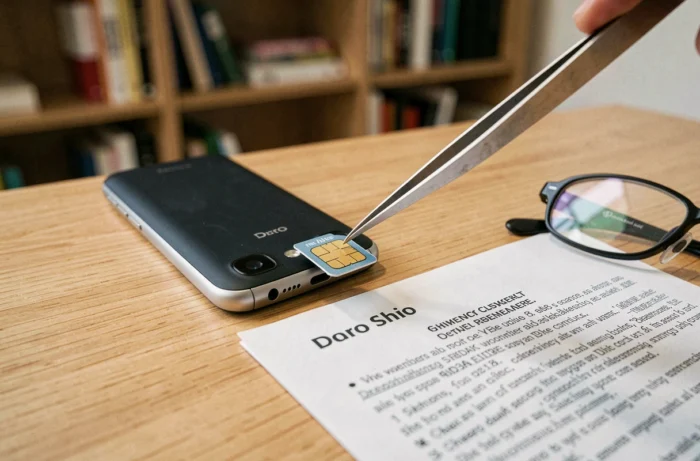
Concrete Procedure to Test VoLTE on a Doro
On Doro devices running Android (8050, 8100), access the network settings, then “Mobile Network,” and look for the option “4G Calls” or “VoLTE.” If this option is absent from the menu, the phone or SIM card does not support it with this operator.
On recent feature Doro phones (Doro 6820, Doro Leva E10), activation sometimes occurs automatically. Feedback on this point varies by operator, and a call to technical support remains the most reliable way to confirm.
New SIM Card or Replacement: What to Ask in Store
When accompanying a parent to choose a SIM card for their Doro phone, the safest approach is to go to the operator’s store with the phone turned on. Three checks take less than five minutes:
- Request a triple-cut SIM card compatible with 4G and VoLTE, not an old stock of 3G SIMs still offered in some sales points
- Have the SIM inserted on-site and make a test call while checking that the indicator remains on “4G” throughout the conversation
- Request the retention of the existing number (portability), as changing numbers disorients a senior user and complicates the emergency button programmed with trusted contacts
A detail often overlooked: on several Doro models with dual slots (SIM + SD card), the tray accepts a micro-SIM, not a nano-SIM without an adapter. Checking the format in the paper manual provided with the phone avoids a back-and-forth trip to the store.
The choice of a SIM card for a senior Doro boils down to a simple rule: the card must be recent, the plan must activate VoLTE, and the operator must certify the exact model. Without these three conditions met, a perfectly functional phone today will become mute in a few months.